

Download Free MP3 Ringtone Maker – MP3 ringtone maker, free ringtone maker, create ringtone, ringtone maker app, MP3 ringtone, free ringtone, personalize ringtone
Overview
Free MP3 Ringtone Maker is a mobile application designed to enable users to create personalized ringtones from their existing MP3 music files. The app serves as a utility tool for individuals seeking to customize their device’s notification sounds without relying on third-party services or complex software. Its primary purpose is to allow users to select any MP3 song from their device’s library and extract a specific segment to use as a ringtone. This functionality is particularly valuable for users of older mobile phones that lack native support for direct ringtone downloads or advanced customization features.
The app targets users who value personalization and seek a straightforward, no-frills solution for enhancing their smartphone experience. It is ideal for individuals who enjoy using their favorite music tracks as ringtones but do not want to go through lengthy or complicated processes. While modern smartphones often include built-in tools for ringtone creation, Free MP3 Ringtone Maker remains relevant for devices with limited capabilities or users who prefer a dedicated, focused application.
Although the developer did not provide additional technical details about the development background or company history, the app’s minimalistic design and clear functionality suggest a targeted approach to solving a specific user need. Real-world use cases include customizing ringtones for family members, setting unique alerts for different contacts, or simply enjoying a personalized audio experience. In the broader app ecosystem, it occupies a niche role as a lightweight, accessible tool that complements more comprehensive productivity and media management apps.
Key Features & Functionality
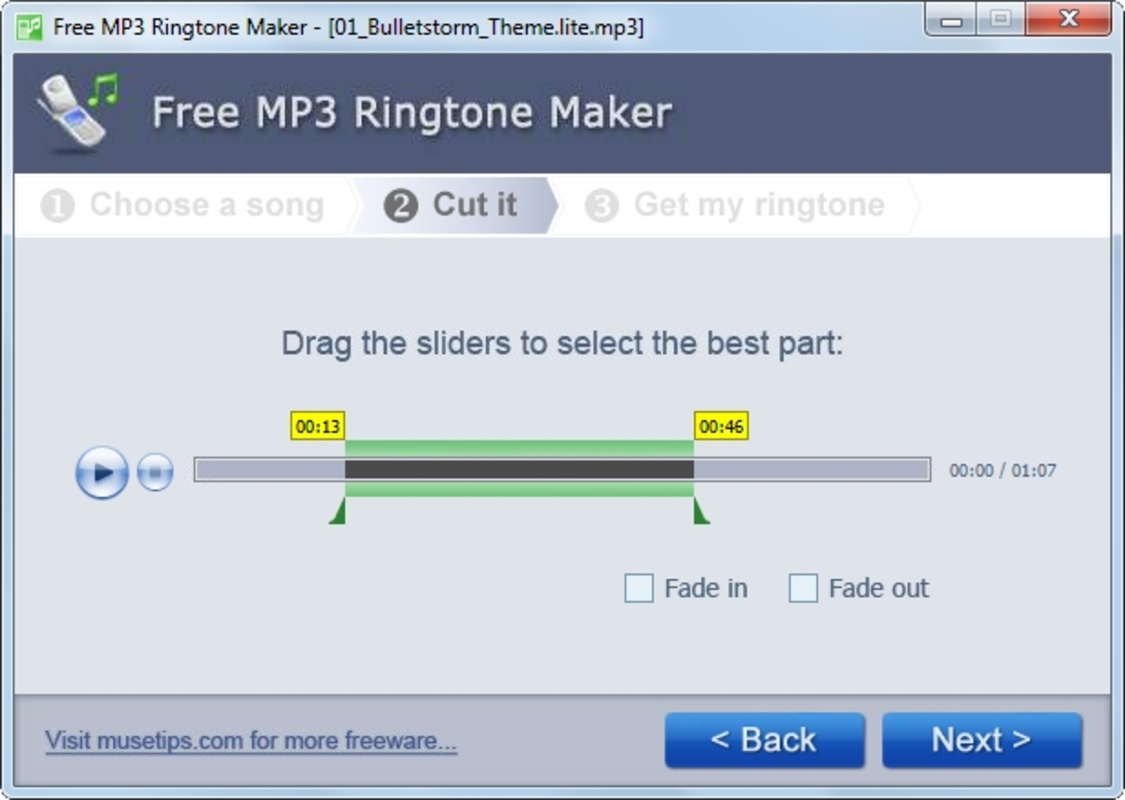
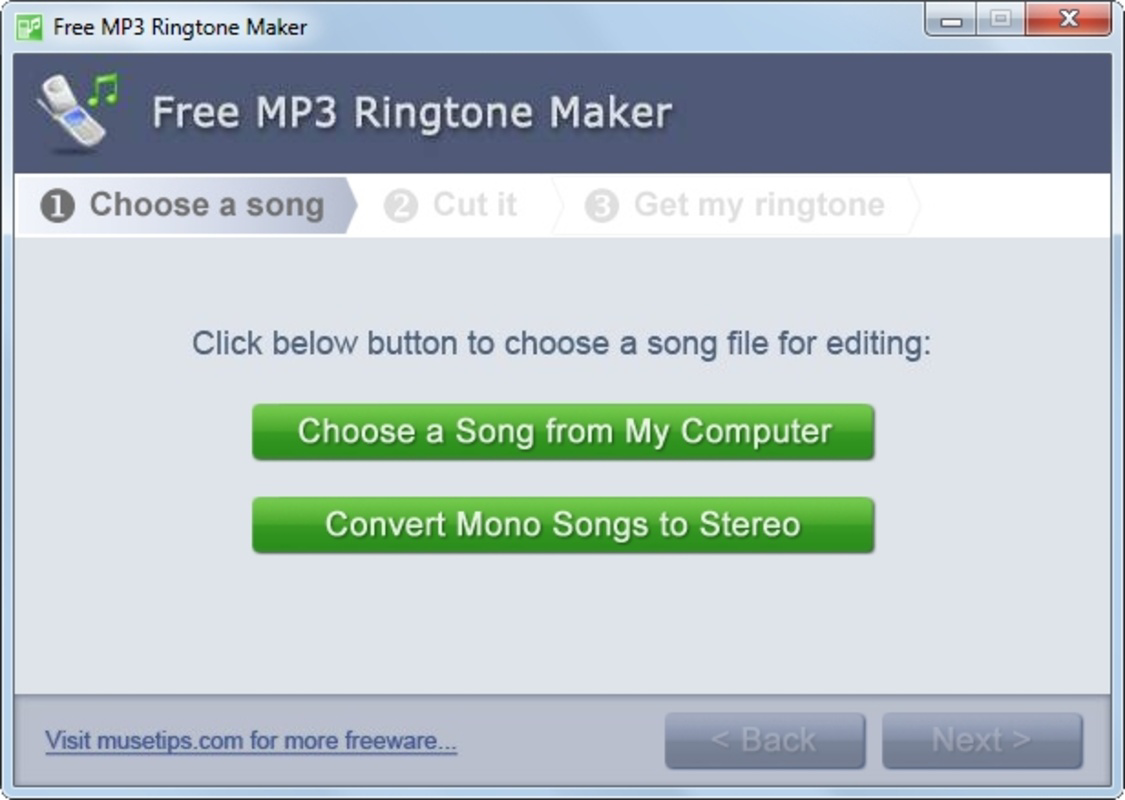
- Simple Two-Step Process: The app streamlines ringtone creation into just two actions—selecting a song and choosing a segment. This approach reduces user friction and ensures accessibility for individuals with limited technical experience.
- Customizable Song Selection: Users can access any MP3 file stored on their device, allowing for a wide range of personalization options based on individual music preferences.
- Quick Ringtone Creation: Once the desired segment is selected, the app processes the ringtone efficiently, minimizing wait times and enabling rapid use.
- MP3 Format Output: Ringtones are saved in MP3 format, ensuring broad compatibility across various mobile devices, especially older models that may not support newer audio formats.
- Ideal for Older Phones: The app provides a practical solution for users of legacy devices that lack modern ringtone customization features, helping extend the usability of older hardware.
For example, a user could select a favorite song from their music library, trim a 30-second segment, and set it as a ringtone for their mother’s contact. This use case demonstrates how the app enhances user experience by combining personal music with practical device functionality. The simplicity of the process ensures that even non-technical users can achieve results without confusion or delays.
Interface, UX & Performance
The user interface of Free MP3 Ringtone Maker is designed with minimalism in mind, focusing on essential functions without unnecessary visual clutter. The layout is intuitive, with clearly labeled buttons and straightforward navigation that guide users through the ringtone creation process. Visual elements are functional rather than decorative, contributing to a clean and efficient experience.
Navigation flows logically from selecting a song to choosing a segment and saving the result. The app maintains consistent interaction patterns, reducing the learning curve for new users. Although the developer did not list formal performance metrics, the app appears to operate smoothly on devices with standard specifications, suggesting stable operation across a range of Android devices.
Responsiveness is maintained throughout the process, with minimal lag during song selection and segment trimming. The app does not appear to consume excessive system resources, which is beneficial for older or low-end devices. Stability is evident in the consistent behavior during ringtone generation and file saving. While no official benchmarks were provided, the overall experience reflects a well-optimized tool for its intended purpose.
Platform Compatibility & Technical Requirements
Free MP3 Ringtone Maker is available exclusively on the Android platform. The current version is 1.0.2, with a file size of 14.5 MB, making it a lightweight application suitable for devices with limited storage capacity. The app is offered at no cost, aligning with its role as a free utility tool.
Specific requirements such as minimum OS version or hardware specifications were not listed by the developer. As such, compatibility information was not fully disclosed. However, the app’s small size and focus on basic functionality suggest it may be compatible with a wide range of Android devices, including older models. Users are advised to verify device compatibility before installation, particularly if using a device with an outdated operating system.
Pros and Cons
Pros
- Simple, two-step process for creating ringtones
- Supports any MP3 file from the device library
- Fast ringtone generation with minimal delay
- Output in MP3 format ensures broad device compatibility
- Lightweight and free to use
Cons
- Developer did not provide detailed system requirements
- No support for formats beyond MP3
- Interface may appear outdated compared to modern apps
- Limited to Android platform
- No built-in preview or editing tools for audio segments
FAQ
Is Free MP3 Ringtone Maker safe to download and install?
The app is available for free on Android and does not require excessive permissions. As with any third-party app, users should ensure they download it from a trusted source to maintain device security.
Can I use this app on iOS devices?
Free MP3 Ringtone Maker is currently only available for Android. There is no official iOS version or alternative for Apple devices.
Does the app support formats other than MP3?
The app is designed specifically for MP3 files. It does not support other audio formats such as AAC, WAV, or FLAC.
How do I set the created ringtone on my phone?
After the ringtone is saved, users can typically assign it through their device’s settings under "Sound" or "Ringtones." The exact steps may vary depending on the phone model and Android version.
Are there any updates or future features planned?
The developer has not provided information about upcoming updates or new features. Users are encouraged to check the app store for version changes and announcements.
Final Thoughts + CTA
Free MP3 Ringtone Maker delivers a focused, efficient solution for users who want to personalize their mobile experience without complexity. While it may not offer the advanced features found in modern productivity tools, its simplicity and reliability make it a valuable utility for individuals with older Android devices or those who prefer a no-nonsense approach to ringtone creation. The app excels in its core function: transforming any MP3 song into a custom ringtone with minimal effort.
For users seeking a secure, free, and straightforward way to create ringtones, this app remains a solid choice. Its lightweight design, compatibility with common audio formats, and lack of cost make it accessible to a broad audience. Whether you're customizing a ringtone for a loved one or simply adding a personal touch to your device, Free MP3 Ringtone Maker offers a practical and effective tool.
Download Free MP3 Ringtone Maker now


